RepositoriesSimplify Prompts AI
Chrome extension · Free
Simplify Prompts AI
Your best prompts, always at hand.
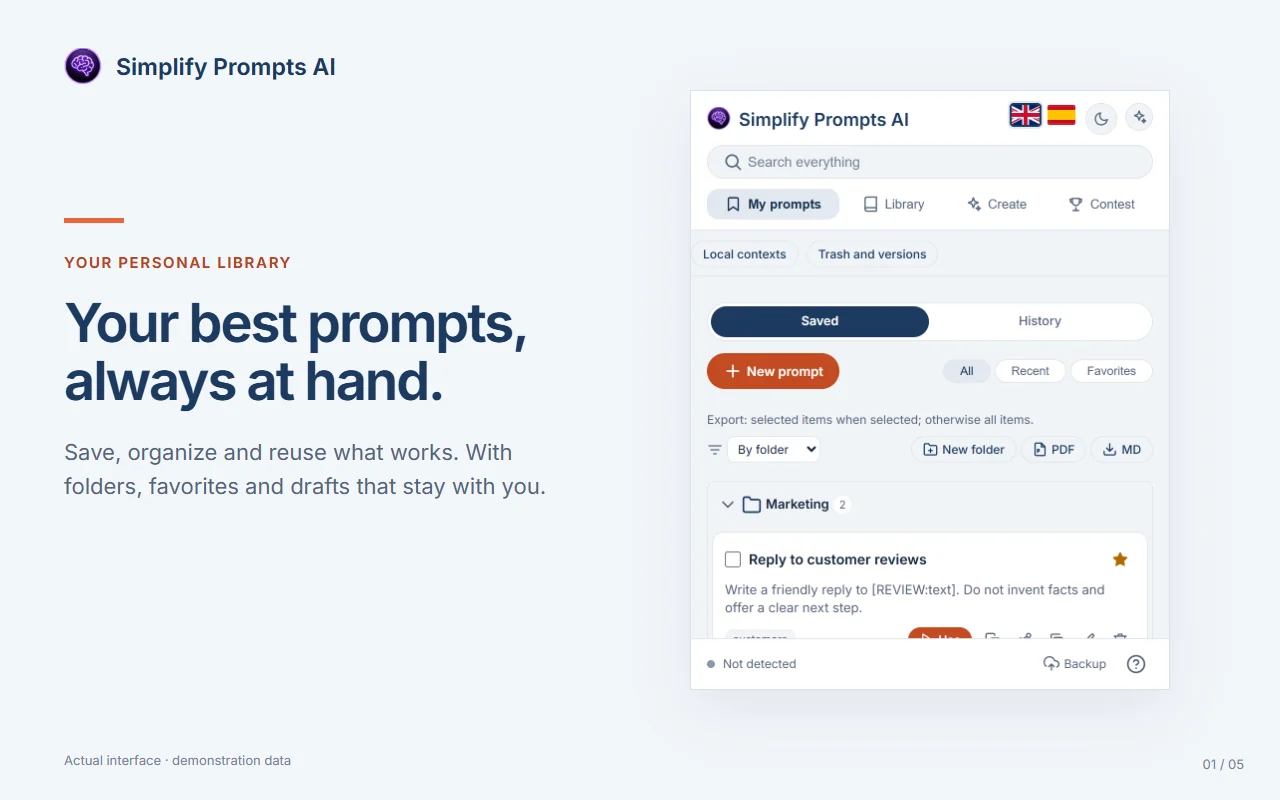
The prompts that work for you end up scattered across chats and notes. This extension keeps them in one place, fills in their blanks and inserts them in the chat you're using: ChatGPT, Claude, Gemini and other compatible chats. You read the text and decide when to send it.
- Chrome
- ChatGPT · Claude · Gemini
- English and Spanish
- Free
What it does
Six things it does
Your library
Folders, tags, favourites and pinned shortcuts. A history you can turn into templates, drafts that survive closing the window, and a trash with versions to undo a mistake.
Blanks to fill in
Write a prompt once with variables and fill them in before inserting it.
Your project's context
Profiles with your business, your audience and your tone that you add to a prompt when you want. They stay in your browser.
Image and video briefs
A builder for a flyer, a product shot, a portrait, an ad or a video scene: goal, subject, text, format, limits and, for video, the audio. It writes the brief; it doesn't make the image.
A library to start with
Ready-made templates in English and Spanish, some with their goal, requirements and examples. Connect your free Invokard account and the 55 cards are there too.
Inside your chat
Open the panel with its button or a keyboard shortcut and insert the prompt in ChatGPT, Claude, Gemini and other compatible chats. Backups in JSON, and export to Markdown or PDF.
Install
Two steps
1. Add it to Chrome
Open its page in the Chrome Web Store and press Add to Chrome.
2. Reload your chats
Reload the ChatGPT, Claude or Gemini tabs you already had open, then open the extension: a seven-step guide shows you around.
You need
- Google Chrome on a computer
What it doesn't do
Where it stops
- It doesn't write answers or generate images or video, and it includes no paid AI. It prepares and inserts your prompts; the chat you choose does the rest, under its own terms.
- Inserting depends on each site's interface. If a site changes, you can still copy the prompt and paste it.
- Your project profiles and drafts stay in your browser; templates and settings may use Chrome Sync. The community section and the optional Invokard connection talk to their own websites.
More tools
All the tools →